Finding and fixing mistakes
Reading error messages and debugging, step by step
Introduction to Data Science and Machine Learning · Md Mahbub E Noor · University of Barishal
print("Total: " + 5)
# TypeError: can only concatenate
# str (not "int") to str
Where we are: Lecture 2, part 3 of 3
Today you will
- 1Tell apart syntax, runtime and logic errors
- 2Read an error message from the bottom up
- 3Recognise the ten errors you will meet most
- 4Find logic errors by printing values
- 5Follow a debugging routine, and ask for help well
Three kinds of mistakes
Syntax error
Python cannot read the code: a missing colon, bracket or quote. Nothing in the cell runs.
Runtime error
The code starts, then crashes at one line: a wrong name, a wrong type, a missing file.
Logic error
No message at all, but the answer is wrong. The hardest kind, because Python is happy.
Anatomy of an error message
Traceback (most recent call last):
  File "shop.py", line 6, in <module>
    print("Average: " + average)
          ~~~~~~~~~~~~^~~~~~~~~
TypeError: can only concatenate str (not "float") to str
A debugging routine you can always follow
Read the last line
Error type and message. Say in your own words what Python is complaining about.
Find the line
Go to the line number. Check that line and the one just above it.
Make one change
Change one thing only, then run again. Several changes at once hide what fixed it.
Still stuck?
Print the values involved, shrink the problem, then ask for help with the full error.
The errors you will meet most
| Error | Usually means | Typical fix |
|---|---|---|
| SyntaxError | Missing colon, bracket or quote | Look at the marked spot and the line above |
| IndentationError | Block not indented, or mixed spacing | Indent the block by 4 spaces |
| NameError | Name misspelled or never created | Check spelling; run the cell that creates it |
| TypeError | Wrong type for the operation | Convert: int(), str(), or an f-string |
| ValueError | Right type, impossible value | Check the value: int("ten") cannot work |
| IndexError | Position past the end of a list | Positions run from 0 to len - 1 |
| KeyError | Dictionary key does not exist | Use d.get(key, 0) or check the key |
| ZeroDivisionError | Dividing by zero | Check the divisor first, for example empty lists |
| FileNotFoundError | File not where Python looks | Put the file next to the notebook |
| ModuleNotFoundError | Library not installed | Lab: use Anaconda. Home: pip install |
Bug hunt 1: find the mistake
Predict firstage = "20" next_year = age + 1 print(next_year)
This cell fails. Which line, and why? Decide before you run it.
Answer: Bug hunt 1: find the mistake
age = "20"
next_year = age + 1
print(next_year)
TypeError: can only concatenate str (not "int") to str
"20"in quotes is text, not a number- Text + number is a TypeError
- Fix:
age = 20, or convert withint(age) - Data read from files and
input()often arrives as text
Bug hunt 2: find the mistake
Predict firstscores = [70, 85, 90]
total = 0
for s in scores:
total = total + s
average = total / len(score)This cell fails. Which line, and why? Decide before you run it.
Answer: Bug hunt 2: find the mistake
scores = [70, 85, 90]
total = 0
for s in scores:
    total = total + s
average = total / len(score)NameError: name 'score' is not defined
scorewas never created: the list isscores- NameError points to the line with the typo
- Recent Python versions may add: Did you mean: 'scores'?
- Fix:
len(scores)
Bug hunt 3: find the mistake
Predict firstmarks = [] average = sum(marks) / len(marks) print(average)
This cell fails. Which line, and why? Decide before you run it.
Answer: Bug hunt 3: find the mistake
marks = []
average = sum(marks) / len(marks)
print(average)
ZeroDivisionError: division by zero
- An empty list has length 0
- Dividing by 0 is impossible: ZeroDivisionError
- Fix: check first,
if len(marks) > 0: - Real data often has empty groups
Logic error: no message, wrong answer
Predict firsta = 70 b = 90 average = a + b / 2 print(average)
Expected average of 70 and 90: 80. What does it print?
Answer: Logic error: no message, wrong answer
a = 70
b = 90
average = a + b / 2
print(average)
115.0
- Division happens before addition
- So Python computes 70 + 45 = 115.0
- Fix:
(a + b) / 2 - Always test with a case where you know the answer
Find logic errors by printing values
- Goal: count the vowels in "banana" (expected 3)
- The loop runs, but the answer is 1
- Next step: print the values inside the loop
- Look for the round where the value goes wrong
word = "banana"
count = 0
for ch in word:
    if ch in "aeiou":
        count = 1
print(count)1
Add a print inside the loop
- Each round now shows
chandcount - count never goes above 1
- The line
count = 1sets instead of adds - Fix:
count = count + 1, then delete the debug print
word = "banana"
count = 0
for ch in word:
    if ch in "aeiou":
        count = 1
    print("ch =", ch, "count =", count)
print(count)ch = b count = 0 ch = a count = 1 ch = n count = 1 ch = a count = 1 ch = n count = 1 ch = a count = 1 1
Watch it run: hunting the logic error
WATCH FOR
- No error message, but the answer is 1
- Watch count in Memory after each vowel
- It never goes above 1
- That points straight at count = 1
Silent video: press play, pause any time.
More tactics when you are stuck
Shrink it
Copy the failing part into a new cell with a tiny input. Small problems are easy to see.
Comment out
Put # before lines to switch them off, and find which line breaks things.
Restart and run all
Rules out the execution-order trap from Lecture 2.1 before you search any further.
Asking for help, including AI tools
Try for 10 minutes
Follow the routine first. Struggling a little is where the learning happens.
Share the right things
The code, the full error message, what you expected, and what you already tried.
AI: explain, not write
Ask it to explain the error. Run and check anything it suggests. You must be able to explain every line you submit. [Course AI policy]
Bug hunt: fix all five
Each numbered part has exactly one bug. Parts 4 and 5 run without errors but give wrong answers. 15 minutes, in pairs.
# 1
print("Total: " + 5)
# 2
name = "Nadia"
if name == "Nadia"
    print("Hi")
# 3
marks = [70, 85, 90]
print(marks[3])
# 4  should print the sum 15, once
total = 0
for i in range(1, 6):
    total = total + i
    print(total)
# 5  30 Celsius should give 86.0
celsius = 30
print(celsius * 9 / 5 + 23)Solutions
Show these after students have tried the bug hunt.
Solutions: the five fixes
1: use an f-string. 2: add the colon. 3: last position is 2. 4: print after the loop, not inside. 5: the constant is 32.
print(f"Total: {5}")

name = "Nadia"
if name == "Nadia":
    print("Hi")

marks = [70, 85, 90]
print(marks[2])

total = 0
for i in range(1, 6):
    total = total + i
print(total)

celsius = 30
print(celsius * 9 / 5 + 32)Total: 5 Hi 90 15 86.0
Interactive lab: Debugging Lab
In the lab you can
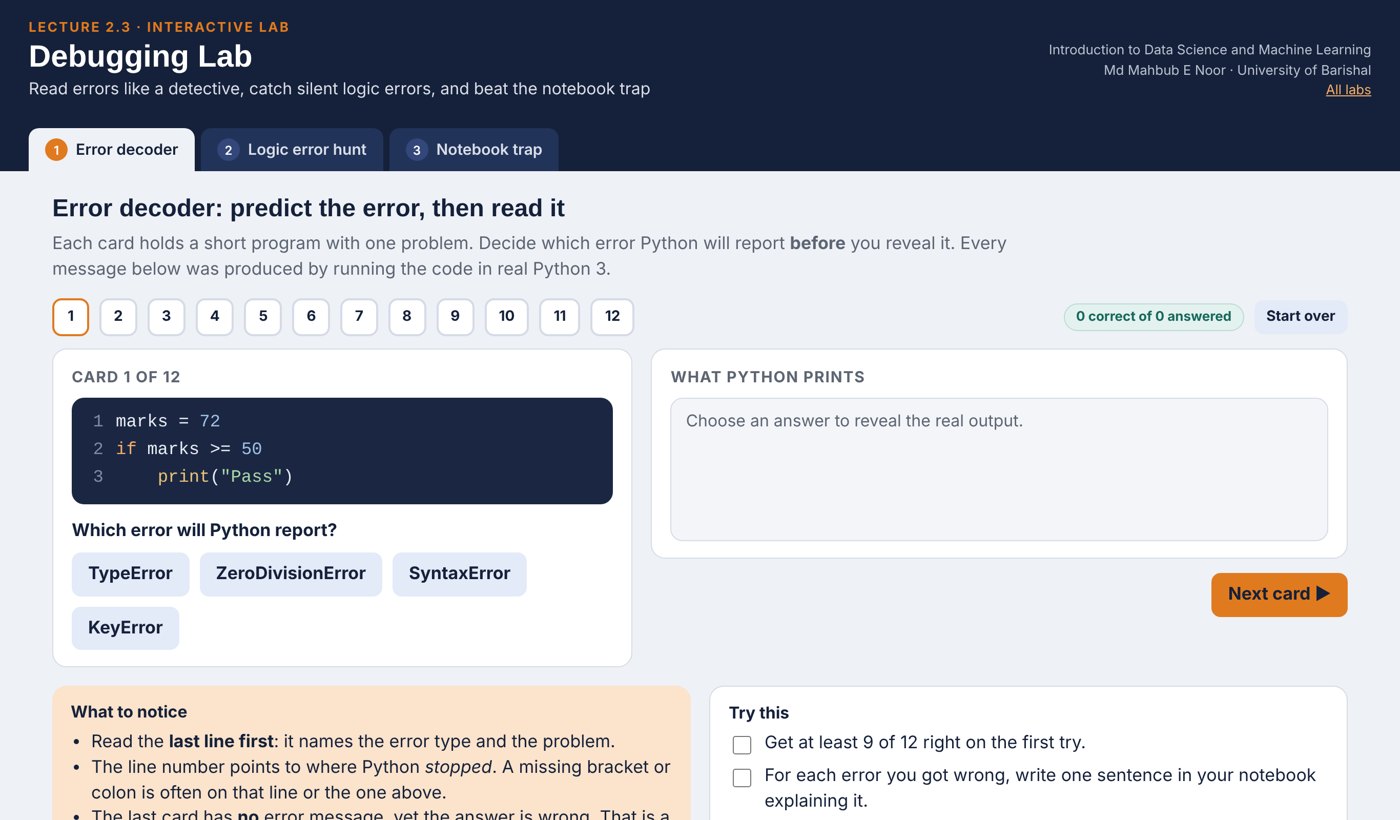
- Error decoder12 broken programs: predict the error, then read the real Python message.
- Logic error huntTrace a vowel counter round by round and see why a + b / 2 is wrong.
- Notebook trapRun cells out of order, edit, restart, and see what the kernel remembers.
Opens in a new tab and works offline. All labs: labs/START_HERE.html
Today's toolkit
Last line first | Error type + message |
Line number | Where it failed; check the line above |
Syntax / runtime / logic | Can't read / crashes / wrong answer |
print("x =", x) | Show values while debugging |
# line | Switch a line off to test |
Tiny input | Shrink the problem |
Restart + Run all | Rule out execution-order bugs |
Known answer | The only way to catch logic errors |
Homework 2.3
Due before Lecture 3.1 · [date]
Error diary
Create 5 different errors on purpose. For each: the code, the last line of the error, and one sentence explaining it.
Read, don't run
For the three bug-hunt slides, write the error type you expect before running. How many did you get right?
Debug with print
This should count words longer than 3 letters in "we love data science" but prints 0. Fix it using prints: count = 0; for w in text.split(): if len(w) > 3: count + 1.
Logic test
Write code for the average of 3 numbers. Test it with a case you can check in your head. Show the test.
Explain
In 3 sentences: why are logic errors harder to find than syntax errors?
Recap: Lecture 2.3 in 90 seconds
Watch it again at home to revise.